

Software Solutions
- CAEPIPE 3D+
- dataTRANSLATORS
- checkSTRESS
- HOTclash
- PEXit
- Pricing Request
- Download CAEPIPE 3D+
- Download Free Evaluation
- Download Free Review Module
- Customer Support
Engineering Services
- Design and Engineering
- INFOplant™ System
- Engineering Management
- List of Projects
- Project Gallery
- Project Videos
Learn More
Company Information
Highlights

- Fully Interactive and Organized Results Screens
- Simultaneous Access to Input data/graphics
- Fully Customizable Reports - Clean and Clear
- Instant Access to Model Editing for "What-if" design iteration
- Use Any Combination of Units - not stuck to those used in input
CAEPIPE Interactive Results Review
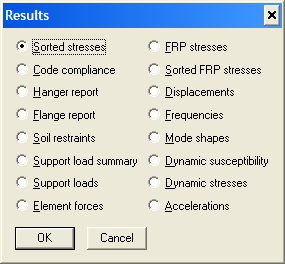
Interactive and organized output screens are among the helpful features unique to CAEPIPE.
No cumbersome check marks to select before viewing a flat Notepad-type non-interactive results file. One keypress takes you through the different available results. Interact with any screen to see other available results.
Displacements at
- All nodes
- Ball joints (with bending displacements)
- Flexible joints (Bellows, Slip, Hinge and Ball joints)
- Guides, Hangers, Limit stops
- Minimum and maximum displacements for each load case
Deflected Shape (animation possible)
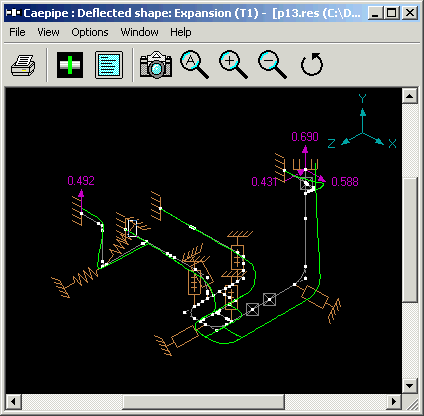
A deflected shape for the thermal expansion case
Support loads for all load cases
Support load summary (150+)
Element forces and moments (local and global)
Internal and External Pressure Design results as per EN 13480-3
Stresses
- Code compliance stresses
- Sorted code stresses
- Von Mises, Maximum and Minimum stresses
- Operating stresses for nondestructive examination (NDE)
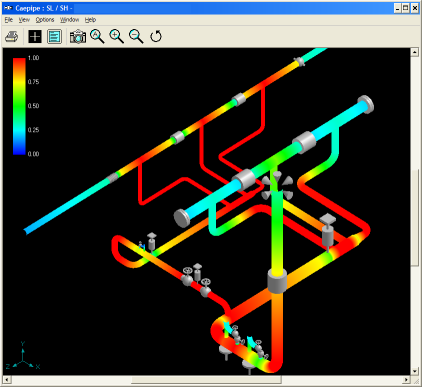
- Color coded stresses and stress ratios
Status of Nonlinearities such as pipe lifting off at resting/sliding supports, gap closure at supports and tie rods, friction at supports and expansion joints
Relevant key results shown under “First-level Checks” for quick review
Hanger report
Flange report
Rotating equipment reports
Frequencies and mode shapes (animation possible)
Response spectrum analysis results
Center of gravity, weight of each element and total weight
Export of stress model as 3D reference geometry to 3D plant design systems PDMS, E3D and CADMATIC
Export of Deflected shape as 3D reference geometry to 3D plant design systems PDMS, E3D and CADMATIC
Reports (See a Sample Report)
- Descriptive input and output information can be printed to a file or a printer without having to exit the program
- Clean, concise, clearly organized, formatted and customizable reports
- Date and time of analysis on reports
- Table of contents for easy lookup of reports
- Bill of materials
- Print preview for reports and graphics
- Neutral file input and output (.mbf)
- Export of input and output to ASCII and MS-EXCEL (.csv) file format
- Export and Import of Material Library through ASCII Material Library Batch file (.mlb)
CAEPIPE reports are easy to read and well-organized! Many users just love the simple format of CAEPIPE reports.